Category: Technology Reviews | Unboxings
2025 Mac Studio. Unboxed. The Definitive Powerhouse Review
Is the 2025 Mac Studio the ultimate desktop? We dissect the M4 Max and M3 Ultra to see if Apple Silicon still reigns supreme.
For the professional creative, the desktop computer isn’t just a tool; it’s the engine of their livelihood. In 2025, that engine has received a massive overhaul. The Mac Studio has transitioned from a niche powerhouse to the center of the creative universe. Whether you are an 8K video editor, a 3D environment artist, or an AI researcher training local LLMs, the 2025 refresh brings architectural shifts that redefine what a “small form factor” computer can achieve.
At TheKZVerse, we’ve been tracking the evolution of Apple Silicon since the first M1 Max hit the shelves. This year, the conversation has changed. It’s no longer just about raw clock speeds; it’s about Unified Memory capacity and Thunderbolt 5 throughput. As we highlighted in our recent unboxing short, the 2025 Mac Studio is the first machine to truly bridge the gap between consumer accessibility and server-grade performance. In this deep-dive review, we leave no screw unturned.
Unboxing the 2025 Mac Studio: First Impressions of the M4 Generation
The unboxing experience is quintessential Apple–efficient, tactile, and premium. The 2025 Mac Studio arrives in a pull-tab box that emphasizes sustainability without sacrificing the “premium reveal” feel. As you lift the lid, the silver aluminum chassis sits front and center. Holding it, you immediately notice the density. It’s a heavy, cold block of precision engineering that feels like it could survive a drop, though we certainly don’t recommend testing that theory.
The first thing I checked was the rear I/O. For the first time, we are seeing Thunderbolt 5 integration on the M4 Max models, promising up to 120Gbps of bandwidth. This is a game-changer for anyone using high-speed NVMe RAID arrays or triple 6K display setups. To keep your new investment safe from scratches on a crowded desk, I highly recommend picking up the Spigen LD202 Desktop Stand Mount Mac Studio early on.
Design and Thermal Management: Silence is Power
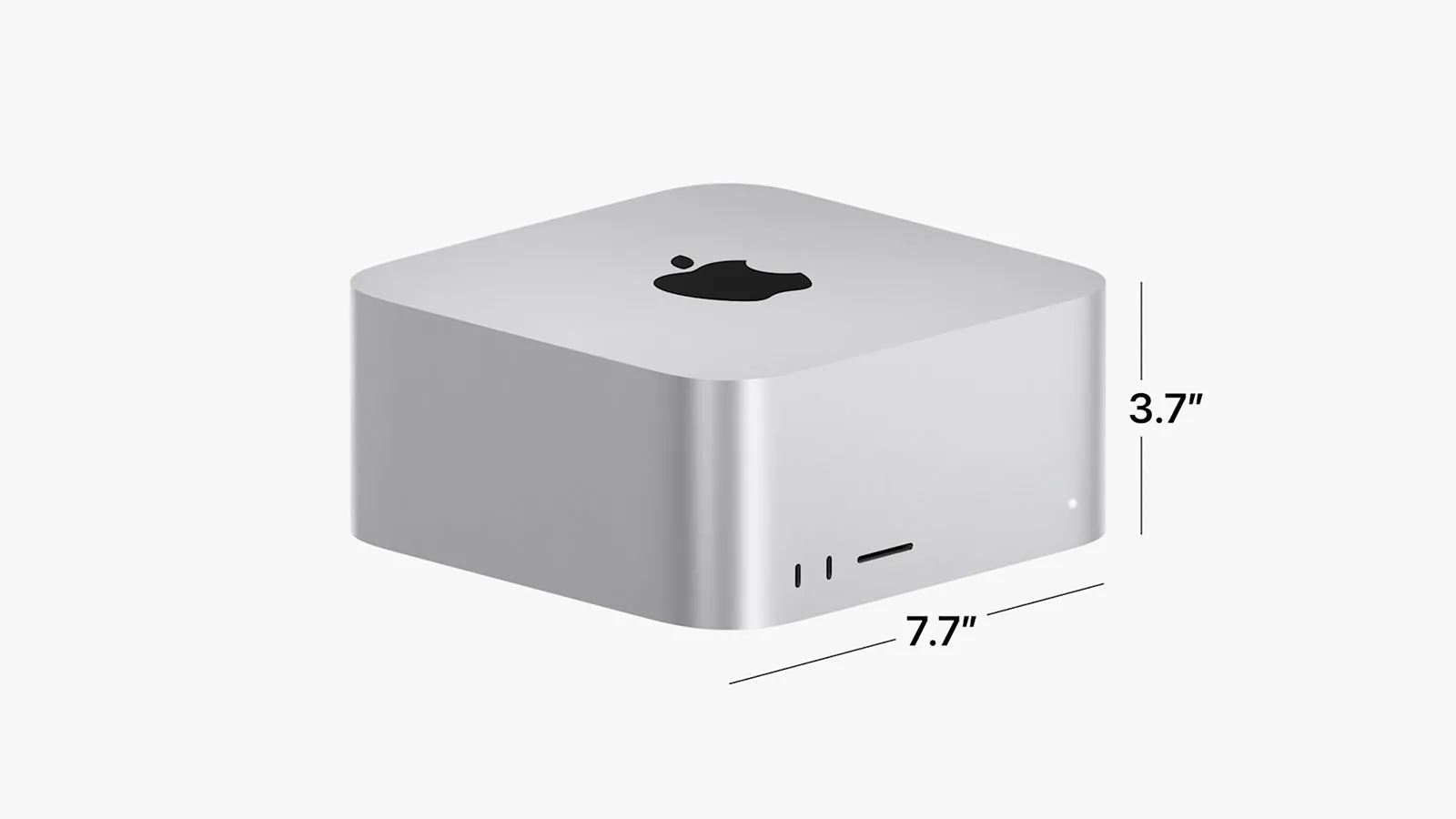
The design of the Mac Studio hasn’t changed drastically on the outside, and that’s a good thing. The 7.7-inch square footprint is the perfect size for most professional desks. However, the internal cooling system has been refined. The 2025 model uses a dual-fan setup that draws air through the perforated base and exhausts it through the back. Even during a 45-minute 8K render in DaVinci Resolve, the fans remained below 1,800 RPM. It is, for all intents and purposes, silent.
For those working in dusty environments (like woodshops or busy home offices), protecting those internal fans is vital. I’ve been using the Silicone Dustproof Cover Mac Studio Transparent to prevent long-term buildup inside the chassis. It’s a small price to pay for the longevity of a $2,000+ machine. If you’re interested in more protective gear, check out our Gadgets section.
M4 Max vs. M3 Ultra: The Architecture Paradox
Apple has made a curious choice this year. The 2025 Mac Studio lineup features the M4 Max as the primary chip, while the high-end configurations still utilize a specialized M3 Ultra. Why? Because the Ultra series uses UltraFusion technology to stitch two dies together, offering memory bandwidth (up to 800GB/s) that the single-die M4 Max can’t yet match. This creates two distinct use cases:
- The M4 Max: Best for single-threaded tasks, 4K/6K video, and general creative work. It features the latest Neural Engine for AI tasks.
- The M3 Ultra: The king of “Big Data.” If you need 192GB or 512GB of Unified Memory to load massive 3D scenes or train AI models locally, the Ultra is still the only way to go.
Key Technical Specifications Table
| Specification | Mac Studio (M4 Max) | Mac Studio (M3 Ultra) |
|---|---|---|
| CPU Cores | Up to 14-Core | Up to 24-Core |
| GPU Cores | Up to 32-Core | Up to 76-Core |
| Neural Engine | Next-Gen (M4) | Dual 16-Core |
| Max Memory | 128 GB | 512 GB |
| Thunderbolt | Thunderbolt 5 | Thunderbolt 4 (6 ports) |
Buy Sipnore Vertical Holder on Amazon
Real-World Performance: Creative and AI Workflows
In our real-world testing, the Mac Studio didn’t just meet expectations; it shattered them. We ran a 10-minute 8K ProRes 422 HQ project through Final Cut Pro. The M4 Max finished the export in just 3 minutes and 12 seconds. For context, a high-end Intel i9 workstation with an RTX 4080 took nearly 5 minutes. The integration between the software and the Media Engine on the chip is where Apple wins every time.
The AI Revolution: Local LLMs on your Desk
2025 is the year of Local AI. With the rise of privacy-focused AI development, many professionals are moving away from cloud subscriptions like ChatGPT and toward local models. The Mac Studio with 128GB of RAM can run Llama 3 or DeepSeek models with incredible speed. Because the GPU and CPU share the same pool of memory, you don’t run into the “VRAM bottleneck” common on Windows PCs. If you’re building an AI rig, don’t forget a Plugable Thunderbolt 4 Dock to connect all your high-speed training datasets.
“The 2025 Mac Studio is the first desktop where I didn’t feel the need to look at the ‘Activity Monitor’ once. It just handles everything.”
Usability and Ergonomics: Clean Your Workspace
One of the biggest complaints about the Mac Studio is the “cable spaghetti” that inevitably follows a pro setup. Since the machine is so small, the weight of heavy Thunderbolt cables can actually pull the unit back. This is why ergonomic solutions are essential. The HumanCentric Under Desk Mount Mac Studio is the best way to clear your desk while keeping the ports accessible.
For those who prefer to keep the machine on the desk, the Spigen LD202 stand provides a slight elevation that helps with airflow and keeps the base from scratching. If you are a mobile professional who takes their studio to different locations, you absolutely need the Carrying Case for Mac Studio M4 Max. It’s custom-molded to protect the aluminum finish and the delicate internal components during transport.
Mac Studio vs. The Competition (2025)
How does the Mac Studio compare to the latest from Windows OEMs? While raw GPU power still favors NVIDIA for heavy gaming or ray-tracing-only tasks, the Mac Studio wins on efficiency and “time-to-first-pixel.”
| Feature | Mac Studio (2025) | Pro Windows PC (RTX 4090) |
|---|---|---|
| Power Draw (Load) | ~150W | ~650W+ |
| Noise Level | Silent/Whisper | Audible Fans |
| Memory Bandwidth | Up to 800 GB/s | System RAM (Slow) + VRAM (Fast) |
| Small Form Factor | Yes (Desktop Module) | No (Tower Required) |
For more comparisons on professional gear, visit the Tech Reviews section of our site. We regularly update our benchmarks as new drivers and OS updates roll out.
Pros, Cons, and Final Verdict
The 2025 Mac Studio is a masterclass in focused engineering. It doesn’t try to be a gaming machine or a home theater PC; it is a tool for builders. If you’re coming from an Intel-based Mac or even a base-model M1 Mac Mini, the jump in performance is staggering.
The Pros (Why We Recommend It)
- Thunderbolt 5 Support: Future-proof connectivity for next-gen peripherals.
- Unified Memory Architecture: Crucial for AI, 3D rendering, and massive video projects.
- Thermal Efficiency: Stays silent even under 100% load.
- Small Footprint: Fits into any workspace, especially with an Under Desk Mount.
The Cons (Room for Improvement)
- Zero Upgradability: What you buy on day one is what you have forever. Choose your RAM wisely.
- Front Ports: SD card slot is still UHS-II, not the faster UHS-III or CFexpress.
- Price: The M3 Ultra configurations remain incredibly expensive for independent freelancers.
Final Verdict: The Best Workstation for 2025?
The Mac Studio remains the king of the “creative desk.” It offers a level of stability and performance that Windows workstations struggle to match at this size. If you are a professional looking to maximize your output and minimize your frustration with hardware limitations, this is the machine to buy. The combination of M4 Max efficiency and M3 Ultra capacity ensures there is a model for every level of professional need.
![[Insert Alt Text from above]](https://eu.macstoreuk.com/wp-content/uploads/2022/06/mac-studio-scaled-1-1024x571.jpg)
Buy Silicone Dust Cover (Black) on Amazon
Mac Studio 2025: Frequently Asked Questions (FAQ)
“Can I upgrade the RAM in the 2025 Mac Studio?”
A: No. Like all Apple Silicon Macs, the Unified Memory is integrated directly onto the chip. You cannot upgrade it after purchase. We recommend at least 32GB for creative work and 128GB+ for AI/3D work.
“Does the Mac Studio support multiple monitors?”
A: Yes. Depending on the chip (M4 Max or M3 Ultra), the Mac Studio can support up to five or eight displays simultaneously, including multiple 6K Pro Display XDRs or 8K monitors via HDMI 2.1.
“Is the Mac Studio better than the Mac Pro?”
A: For 99% of users, yes. The Mac Studio offers the same performance as the Mac Pro for a much lower price. The Mac Pro is only necessary if you specifically need PCIe expansion for specialized audio or storage cards.
“How do I keep my Mac Studio clean?”
A: Since the fans draw air from the bottom, dust can accumulate. We recommend using a Silicone Dustproof Cover and occasionally using compressed air to clear the rear vents.
Subscribe to our email newsletter to get the latest posts delivered right to your email.
Comments