
Category: Tech Reviews | Deep Dive Analysis
Beats Studio 3 in 2026 — Still Worth It or Finally Move On?
We test the iconic Beats Studio 3 over-ear headphones against modern street prices, examining the Apple W1 chip, Pure ANC, psychoacoustic profile, and successor products.
The Beats Studio 3 Wireless over-ear headphones represent a pivotal milestone in the commercial audio hardware landscape. Launched as a flagship product under Apple’s ownership of Beats Electronics, the Beats Studio 3 served as a primary vehicle for integrating Apple’s custom wireless processing silicon directly into a lifestyle-focused, high-profile audio device. Designed to compete in the active noise-canceling market against legacy acoustic brands, the headphones bridged the gap between fashion-forward industrial design and tight iOS ecosystem integration.
While originally introduced at a premium retail price point of $349.95 USD, market dynamics and the subsequent launch of next-generation hardware have repositioned its average street value well below $200 USD. This comprehensive technical report and review for TheKZVerse provides an exhaustive breakdown of the Beats Studio 3 Wireless, analyzing its internal silicon architecture, psychoacoustic tuning, active noise cancellation mechanics, hardware failure modes, and position relative to successor products like the Beats Studio Pro. For more gadget deep dives, visit our Tech Reviews section.
Technical Architecture and Hardware Infrastructure
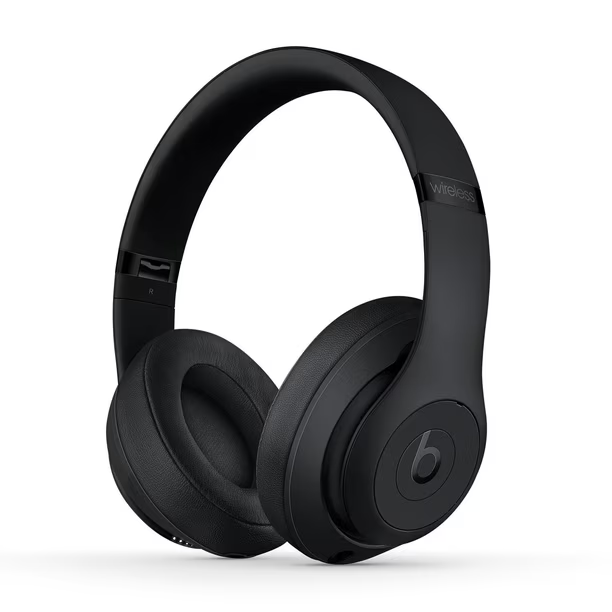
The structural architecture of the Beats Studio 3 Wireless is built upon a circumaural, closed-back dynamic acoustic housing weighing approximately 260 grams (9.17 ounces). The chassis is constructed primarily from high-density polycarbonate with metal-reinforced headband sliders. It incorporates a dual-hinge folding mechanism that drastically reduces the physical footprint of the unit when packed into its included hardshell travel case.
When you hold the Beats Studio 3, the fit and finish reflect the classic Beats aesthetic: clean lines, minimal external branding save for the iconic “b” logos, and a streamlined headband silhouette. For everyday commuters, the folding structure remains one of the most practical elements of the chassis design. If you are comparing different travel audio options, make sure to browse our Gadgets archive for hands-on comparisons.
Apple W1 Silicon Integration and Wireless Range
At the heart of the digital processing pipeline is Apple’s proprietary Apple W1 chip. The implementation of the W1 processor fundamentally alters device pairing and power management compared to standard Bluetooth audio implementations. For iOS users, proximity-based pairing allows the headphones to be discovered and connected automatically upon powering on near an iPhone or iPad.
The W1 silicon synchronizes pairing keys across the user’s iCloud account, allowing audio routing to transition between iPhones, iPads, MacBooks, and Apple Watches without requiring manual Bluetooth re-pairing. If you enjoy smooth device ecosystems, our Apple ecosystem guides explain how these handoff features work in daily practice.
Wireless transmission relies on Class 1 Bluetooth technology. Class 1 Bluetooth operates at a higher transmission power output than standard Class 2 Bluetooth modules, providing superior RF signal stability, higher link margin, and reduced dropouts across long distances. Under real-world conditions, the Class 1 transceiver maintains stable bitstream reception through solid physical obstacles, such as drywall and interior doors, up to approximately 45 feet (13.7 meters) from the host source.
Power Management, Fast Fuel, and Battery Metrics
The power subsystem is managed by the W1 processor in tandem with a dedicated power management integrated circuit (PMIC) to regulate the internal lithium-ion battery. Battery longevity varies depending on operating system protocols, ambient noise levels, listening volume, and processing states.
| Hardware Parameter | Operational Specification / Metric |
|---|---|
| Model Identifiers | MQUF2LL/A, MX3X2LL/A |
| Physical Mass | 260 grams (9.17 ounces) |
| Wireless Transceiver | Bluetooth Class 1, Integrated Apple W1 chip |
| Supported Audio Codecs | Advanced Audio Coding (AAC), Subband Codec (SBC) |
| Battery Life (Pure ANC On) | 22 Hours (Rated) / 10 to 24 Hours (Tested Variance) |
| Battery Life (Pure ANC Off) | Up to 40 Hours |
| Charging Port Interface | Legacy Micro-USB |
| Fast Fuel Rapid Charge | 10 Minutes Charging yields ~3 Hours Playback |
| Acoustic Transducer | 40mm Dynamic Drivers |
When operating with Pure ANC enabled, the system yields an official runtime rating of 22 hours. Disabling the Pure ANC DSP transitions the headphones into a low-power listening mode, extending continuous wireless playback up to 40 hours. Empirical stress testing reveals notable variance based on playback amplitude and host platform architecture:
- Maximum Volume (100%): With Pure ANC active, playback drops to approximately 10 hours and 12 minutes.
- Moderate Volume (50% on iOS): Battery life reaches between 23 and 24 hours.
- Android Platform Usage: Battery life under Pure ANC drops to approximately 16 hours due to differences in Bluetooth power-negotiation protocols between Android OS and Apple’s W1 platform.
Emergency charging is handled via Beats’ “Fast Fuel” architecture. By applying a high-current initial charge, a 10-minute connection to a power source yields up to 3 hours of wireless playback with ANC enabled. However, a major design limitation of the Beats Studio 3 is the inclusion of a legacy Micro-USB port instead of USB-C. Furthermore, the headphones lack integrated wear sensors; if you pause your music without turning off the power switch, the active W1 chip remains powered, completely draining the battery reserves while idle.
Check Price on Amazon for Beats Studio 3
Psychoacoustic Profile and Frequency Response Analysis
The acoustic engine of the Beats Studio 3 Wireless utilizes custom-built 40mm dynamic transducers housed in closed-back earcups. Early Beats models were heavily criticized by acoustic engineers for excessive, uncontrolled sub-bass emphasis that masked mid-range frequencies. The Studio 3 Wireless reflects a refined psychoacoustic target curve, shifting toward a warmer, more balanced commercial sound profile.
Frequency Response Breakdown Across the Spectrum
The frequency response curve of the Beats Studio 3 exhibits distinct characteristics across three main registers:
1. Low-Frequency Spectrum (20 Hz – 250 Hz): The low-frequency spectrum shows a clear mid-bass boost between 100 Hz and 250 Hz. This emphasis delivers physical punch to kick drums, bass guitars, and synthesized low-end lines. However, acoustic measurements show a steep roll-off in the sub-bass frequencies below 40 Hz. While the headphones provide plenty of surface punch, they lack the deep rumble found in flat reference studio monitors.
2. Midrange Spectrum (250 Hz – 4 kHz): The midrange frequency curve features a wide notch between 500 Hz and 1 kHz. This intentional notch prevents low-frequency resonance from muddying vocal tracks. The trade-off is that lower vocal fundamentals and acoustic instruments can sound slightly thin. To compensate for this lower-midrange dip, upper midrange frequencies peak around 3 kHz, bringing vocal clarity and snare drum attack forward in the mix.
3. High-Frequency Spectrum (4 kHz – 20 kHz): The high-frequency register past 8 kHz is smoothly damped. By rolling off extreme high frequencies, the designers minimized sibilance and harshness during high-volume listening. However, this treble damping reduces soundstage width and micro-detail retrieval, imparting a warm, closed-in character to cymbal decays and room reverberations.
This frequency tuning is optimized for modern commercial music production—such as Hip-Hop, Electronic Dance Music (EDM), Pop, and Urban R&B—where rhythmic impact and vocal presence take precedence over flat acoustic neutrality. For more detailed sound tests, head over to our Unboxings archive.
Pure Adaptive Noise Cancellation (Pure ANC) Mechanics
The active noise cancellation technology in the Beats Studio 3 Wireless is marketed as Pure ANC. Unlike traditional static ANC systems that apply fixed, inverted phase anti-noise profiles across static frequency bands, Pure ANC uses continuous real-time digital signal processing.
Dual-Sampling Signal Engine Mechanics
Pure ANC relies on a dual-microphone sensing array to monitor and adjust cancellation in real time:
- External Ambient Noise Sampling: Feedforward microphones mounted on the exterior earcups sample environmental ambient sound. The Pure ANC DSP analyzes these ambient waveforms and generates an inverse-phase cancellation wave to attenuate low-frequency environmental noise, such as jet engines, train rumble, and HVAC systems.
- Internal Acoustic Leakage Calibration: Feedback microphones positioned inside the earcup chamber monitor the audio signal entering the user’s ear canal. The internal processing algorithm evaluates acoustic leakage caused by head movement, hair, wearing glasses, or variations in ear geometry. The DSP recalculates and adjusts the anti-noise wave up to 50,000 times per second to maintain optimal isolation.
While Pure ANC is effective at filtering low-frequency ambient drones, its overall noise reduction ceiling falls short of class leaders like the Sony WH-1000XM series or Bose QuietComfort models. A notable functional omission is the absence of an integrated Transparency Mode. Users cannot pass external ambient audio into the earcups electronically, forcing them to physically remove the headset to hear conversations or environmental cues. Additionally, exterior feedback microphones are susceptible to wind buffeting; strong gusts striking the exterior ports can cause temporary fluttering sounds in the audio drivers.
Ergonomics, Controls, and Physical Interface Mapping
The aesthetic design of the Beats Studio 3 maintains the iconic silhouette established by earlier Beats generations. The ear cushions are wrapped in synthetic leather over medium-density memory foam, creating a passive acoustic seal that aids isolation.
Tactile Input Mapping and Control Mechanics
User input is managed via physical tactile switches integrated into the earcups rather than capacitive touch panels, avoiding accidental inputs during physical activity or workouts.
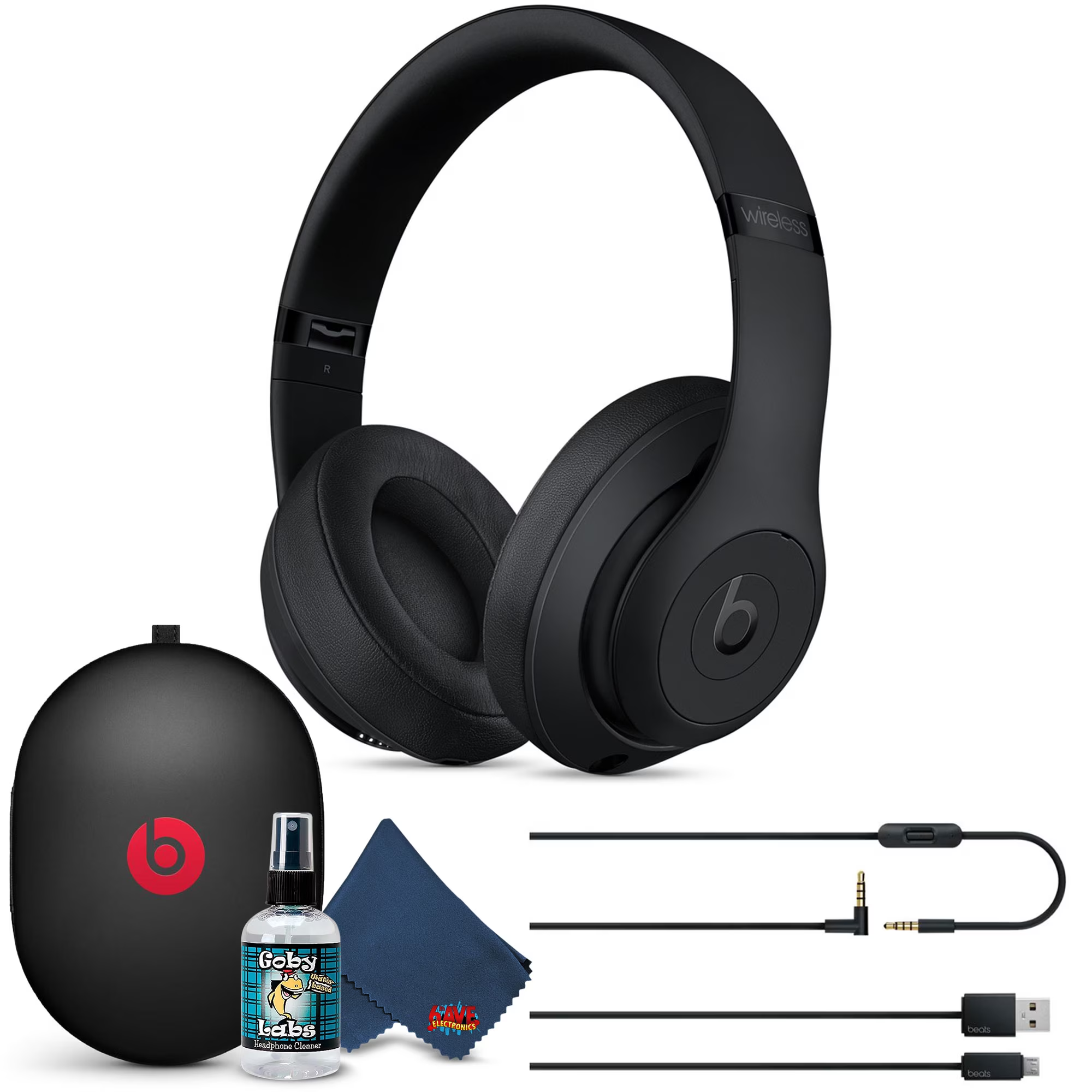
Tactile button controls on the left earcup prevent accidental tracks skips during workouts.
The left earcup houses the primary media and call management controls:
- Single Press ‘b’ Logo: Play, pause, answer call, end call.
- Double Press ‘b’ Logo: Skip to the next track forward.
- Triple Press ‘b’ Logo: Skip back to the previous track.
- Long Press ‘b’ Logo: Activate voice assistants (Siri on iOS; Google Assistant or Bixby on Android).
- Outer Ring (Above/Below ‘b’): Dedicated physical volume up and volume down controls.
The right earcup manages power state and system monitoring controls:
- Single Press Power Button: Illuminates the 5-LED Fuel Gauge array to display remaining battery capacity in 20% increments.
- Double Press Power Button: Toggles Pure ANC on or off, switching between active noise cancellation and low-power passive modes.
- 1-Second Hold Power Button: Powers the headset on or off.
- 5-Second Hold Power Button (From Off State): Initiates Bluetooth pairing mode.
Wearability, Clamping Force, and Thermal Characteristics
The structural headband applies a relatively high clamping force to maintain a secure fit during movement, making the Beats Studio 3 popular for gym use. However, this clamping force, combined with a compact inner cushion opening, can press against larger ears and cause physical fatigue over extended listening sessions.
Additionally, the dense memory foam padding traps heat inside the earcups, resulting in moisture accumulation and elevated ear temperatures during workouts. Users who exercise regularly often purchase third-party silicone sweat covers to protect the earpads from premature wear.
The 3.5mm Analog Audio Interface and Power Dependency
A common point of user confusion involves the operational requirements of the 3.5mm analog audio connection. Many standard wireless headphones can operate as passive wired headsets when the battery is completely drained. However, the Beats Studio 3 Wireless requires active battery power to pass wired audio.
Active Signal Circuitry Requirements
The internal audio architecture routes incoming analog signals from the 3.5mm jack through the internal Digital Signal Processor (DSP) and amplifier circuit. This active processing ensures consistent factory equalization whether audio is streamed over Bluetooth or fed via an analog cable.
Because the incoming analog signal must pass through active internal circuitry, the headphones will not play audio if the battery reaches a 0% charge state. The internal amplifier requires battery power to process and pass audio signals to the dynamic drivers.
| Connectivity State | Cable Connection | Battery Req. | Pure ANC Status | Signal Path Architecture |
|---|---|---|---|---|
| Wireless Bluetooth | Unplugged | Active (>0%) | Available | Wireless Bitstream -> W1 DSP -> Amp |
| Wired Analog (ANC On) | 3.5mm RemoteTalk Cable | Active (>0%) | Fully Enabled | Analog Input -> W1 DSP + ANC -> Amp |
| Wired Analog (ANC Off) | 3.5mm RemoteTalk Cable | Active (>0%) | Disabled | Analog Input -> W1 DSP -> Amp |
| Dead Battery Passive | 3.5mm RemoteTalk Cable | Depleted (0%) | Unavailable | No Audio Output (Circuit Dead) |
The included RemoteTalk 3.5mm cable features an inline microphone and remote control module. On iOS devices, the inline remote provides full control over volume levels, track navigation, voice calls, and Siri activation. On Android and Windows devices, audio playback remains fully functional, but inline volume toggles and microphone pass-through may fail due to differing pinout standards on non-Apple hardware.
Technical Diagnostics, Common Faults, and Factory Reset Protocols
Software glitches, pairing drops, unilateral audio dropouts, or fuel gauge inaccuracies can occur over time. Performing a system-level factory reset restores default firmware configurations and clears saved Bluetooth pairing registers.
Step-by-Step Factory Reset Instructions
- Ensure the headphones are not connected to a Micro-USB charging cable or 3.5mm RemoteTalk cable.
- Press and hold the Power Button on the right earcup and the Volume Down Button on the left earcup simultaneously.
- Maintain both buttons pressed for 10 seconds.
- Watch the 5-LED Fuel Gauge on the right earcup; release the buttons when the LEDs flash white and red.
- The Beats Studio 3 headphones are now restored to factory settings and will automatically enter pairing mode when powered on.
Common Technical Faults and Troubleshooting Workflows
Flashing Red and White Fuel Gauge LEDs: Indicates a Bluetooth pairing corruption or thermal protection safety lock. Disconnect the device from any charger, allow the internal components to normalize to room temperature, and execute the 10-second factory reset.
Unilateral Audio Dropouts (Sound missing on one side): Caused by either a DSP processing lockup or a damaged wire trace along the headband hinge. To diagnose, plug in the 3.5mm RemoteTalk cable; if the missing channel resumes playing audio, the issue stems from Bluetooth DSP routing rather than a physical driver failure.
Rapid Battery Drain While Idle: Because the Beats Studio 3 lacks auto-pause wear sensors, the headset was likely left powered on. Users must manually hold the power button for one second to shut off the active W1 circuitry when done listening.
Generational Comparison: Beats Studio 3 Wireless vs. Beats Studio Pro
The release of the Beats Studio Pro provided a long-awaited successor to the Studio 3 Wireless, updating key internal components and features. While both models share a similar visual design, their internal audio hardware, processing silicon, and sound signatures differ significantly.
| Performance Feature | Beats Studio 3 Wireless | Beats Studio Pro | Functional Impact |
|---|---|---|---|
| System Processing Chip | Apple W1 Silicon | Custom Beats Proprietary Silicon | Studio Pro offers full feature parity on iOS and Android. |
| Charging Interface | Legacy Micro-USB | Modern USB-C Interface | Studio Pro supports 24-bit/48kHz USB-C lossless audio. |
| Transducer Design | 40mm Dynamic Driver | Upgraded 2-Layer Diaphragm Driver | Studio Pro reduces harmonic distortion at high volume. |
| Noise Cancellation | Pure ANC (No Transparency) | Fully Adaptive ANC + Transparency Mode | Studio Pro allows real-time ambient audio pass-through. |
| Spatial Audio Support | Fixed Stereo Sound | Personalized Spatial Audio w/ Head Tracking | Studio Pro delivers 3D spatial audio for movies & games. |
| Acoustic Sound Profile | Mid-Bass Heavy, Warm, Scooped Mids | Flat, Analytical, Treble-Forward Profile | Studio 3 has punchier bass; Studio Pro has more detail. |
| Earcup Opening Space | Slightly Roomier Cushion Opening | Slightly Narrower Cushion Opening | Studio 3 provides a roomier fit for larger ears. |
Acoustic and Platform Trade-Offs
The Beats Studio 3 features a classic Beats acoustic signature, focusing on mid-bass punch and upper-midrange projection. In contrast, the Beats Studio Pro uses a flatter, more analytical frequency response curve designed for broader musical neutrality. While the Studio Pro offers superior instrument separation, fans of bass-heavy genres often prefer the warmer, punchier low-end profile of the Studio 3.
Regarding ecosystem support, the Beats Studio 3 relies on Apple’s W1 chip, offering iOS users instant pairing and iCloud device switching while treating Android users to basic Bluetooth connectivity. The Studio Pro replaces the W1 chip with custom Beats silicon, delivering native Google Fast Pair and Find My Device support on Android hardware.
Pros and Cons Analysis
Before making a final purchase decision, consider these weighed pros and cons based on extensive testing and user feedback:
Pros:
- Seamless iOS Ecosystem Integration: Instant pairing and multi-device iCloud switching via the Apple W1 chip.
- Class 1 Bluetooth Stability: Exceptional wireless connection stability with minimal dropouts.
- Punchy Commercial Sound: Energetic mid-bass response ideal for gym workouts, Hip-Hop, and EDM.
- Secure Clamping Fit: Stays firmly on your head during weightlifting and running.
- Intuitive Tactile Controls: Easy physical button operation without touch-panel misfires.
Cons:
- Legacy Micro-USB Charging: Outdated port requiring a legacy cable in modern tech setups.
- No Transparency Mode: Must remove the headset to hear ambient environment sound.
- No Passive Audio Playback: Headphone requires battery power even when using 3.5mm wired audio.
- Lack of Wear Sensors: Does not automatically pause or shut off when removed from head.
- Sub-Bass Roll-Off: Lacks true sub-bass rumble below 40 Hz compared to studio monitors.
Frequently Asked Questions (FAQ)
Is the Beats Studio 3 still worth buying in 2026?
Yes, provided the street price is under $180 USD. For Apple users seeking an energetic gym headphone with instant iOS pairing, physical controls, and punchy bass, the Beats Studio 3 offers solid value despite its legacy Micro-USB port.
Does the Beats Studio 3 work with Android phones?
Yes. The Beats Studio 3 connects to Android devices via standard Bluetooth. However, Android users will not experience instant iCloud pairing or native Google Fast Pair features found on newer custom silicon devices like the Beats Studio Pro.
Can I listen to the Beats Studio 3 with a dead battery using the audio cable?
No. The Beats Studio 3 requires active battery power even when connected via the 3.5mm RemoteTalk cable because the analog signal must pass through internal active DSP and amplification circuitry.
How do I reset my Beats Studio 3 headphones?
Ensure the headphone is disconnected from charging cables. Hold down the Power Button and Volume Down Button simultaneously for 10 seconds until the 5-LED Fuel Gauge flashes red and white.
Does the Beats Studio 3 have a Transparency Mode?
No. The Beats Studio 3 features Pure ANC (Active Noise Cancellation) which can be toggled on or off, but it does not include an active audio pass-through Transparency Mode.
Market Positioning, Value Verdict, and Final Recommendation
The Beats Studio 3 Wireless holds a distinct position in the wireless headphone market. At its original retail price of $349.95, it was difficult to justify against acoustically superior competitors like the Bose QuietComfort series or Sony WH-1000XM models. However, at current street prices under $200 USD, it offers a compelling value proposition for specific user profiles.
For users looking for flat studio reference sound, advanced features like Transparency Mode, or modern USB-C lossless audio playback, newer models like the Beats Studio Pro offer clear technical upgrades. However, for Apple ecosystem users who want an iconic design, intuitive physical controls, a secure fit for active workouts, and a punchy, mid-bass-focused sound signature, the Beats Studio 3 Wireless remains a practical lifestyle option.
Buy Beats Studio 3 on Amazon Now
Follow TheKZVerse
Enjoyed this technical review? Join our community across social media for more hands-on tech reviews, unboxings, and gadget deep dives!
- Website: TheKZVerse Home
- YouTube: Subscribe on YouTube
- Instagram: Follow @thekzverse on Instagram
- Facebook: Like TheKZVerse on Facebook
- TikTok: Follow @thekzverse on TikTok
- Threads: Catch us on Threads
Have questions about the Beats Studio 3 Wireless or thinking about grabbing a pair? Drop a comment below or join the discussion on our social channels!
Subscribe to our email newsletter to get the latest posts delivered right to your email.
Comments