
Lock In Unlimited eSIM Data Plans Without Hidden Fees
An eSIM data plan is a digital SIM card baked right into your phone, so you skip the physical plastic and activate everything online. It works by downloading a carrier profile directly to your device, which frees up your physical SIM slot for another number or travel line. This lets you switch between data plans on the fly without hunting for a tiny tray or waiting for a card in the mail—just scan a QR code or tap a setting to get online. You pick a plan, pay, and your data starts flowing instantly, making it perfect for hopping between trips or topping up data when your main plan runs low.
Unlocking Global Connectivity: The Shift to Digital SIMs
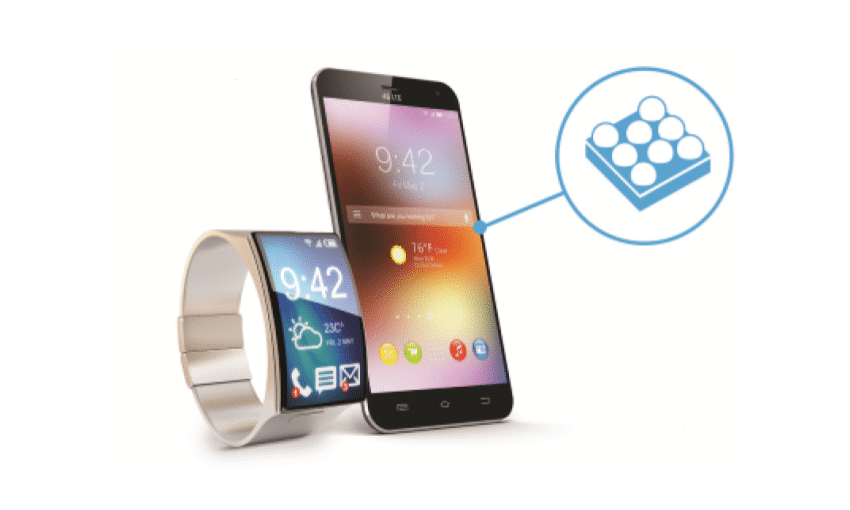
Unlocking Global Connectivity: The Shift to Digital SIMs directly empowers travelers by replacing physical SIM swaps with instant, over-the-air activation through an eSIM data plan. This digital approach removes the need to source local plastic SIMs upon arrival at an airport. Instead, you scan a QR code or tap a carrier app to provision a local data profile, preserving your primary number for calls. A key insight here is that you can pre-load an eSIM data plan before departure, ensuring you are connected the moment your flight lands, not after hunting for a shop.
The practical advantage is eliminating roaming fees without hardware hassle; connectivity becomes a pre-trip purchase, not a destination errand.
Managing connectivity shifts from fumbling with SIM trays to simply selecting which digital profile is active in your device settings.
Why Traditional Plastic SIMs Are Becoming Obsolete

Traditional plastic SIMs are becoming obsolete because they physically tie you to a single network, forcing you to swap tiny cards whenever you travel or switch providers. With an eSIM data plan, you dodge the hassle of hunting for a paperclip to open your phone tray, losing cards, or waiting for delivery. Instead, you instantly download a new profile when boarding a flight or arriving abroad. Plastic SIMs also waste phone space needed for other components, and their rigid form means you cannot test multiple data plans simultaneously without carrying extra cards. Digital SIMs simply remove these practical headaches.
How Embedded SIMs Simplify Travel and Remote Work
Traveling across borders or working remotely no longer requires physical SIM swaps. An eSIM data plan with an embedded SIM allows you to purchase and activate a local data profile instantly upon arrival, bypassing queues and language barriers at local kiosks. For remote workers, this means maintaining a consistent office connection in a new city without juggling multiple physical cards. You simply scan a QR code or download a profile to switch networks. This instant activation eliminates roaming delays and the risk of losing a tiny physical chip while on the move. Q: How does an embedded SIM simplify switching between countries? A: You pre-load multiple international eSIM profiles and switch between them in your device’s settings with no tool required, ensuring seamless data access as you cross borders.
Selecting the Right Mobile Data Package for Your Needs
Selecting the right eSIM data plan requires matching your specific usage, not just picking the cheapest gigabyte count. For frequent travelers, prioritize plans with high-speed data caps and multi-country coverage, while remote workers should look for generous LTE-only options without throttling. A common question: How do I know if a plan’s speed is sufficient? Check the “typical download speed” in the fine print—5-10 Mbps is enough for video calls, while 20+ Mbps supports 4K streaming. Avoid fixed-term contracts; choose flexible, top-up capable eSIMs that let you adjust data mid-cycle. Always verify your device is eSIM-compatible before purchase, and prefer plans from established mobile networks over resellers for consistent signal priority.
Key Factors: Coverage Zones, Speed Tiers, and Data Caps
When selecting an eSIM data plan, your primary technical considerations are coverage zones, speed tiers, and data caps. Coverage zones define the geographic network footprint, distinguishing between regional, national, or global plans. Speed tiers—often labeled as “4G LTE,” “5G,” or “capped” rates—directly impact latency and throughput. Data caps set precise usage limits, after which providers throttle or cut access. For travelers, a global zone with a moderate speed tier and a high data cap ensures reliability.Throttling typically occurs when exceeding your cap.
Q: How do speed tiers interact with data caps in a fixed coverage zone?
A: Even with full coverage, exceeding your data cap usually triggers a reduction to lower speed tiers, like 128 Kbps, making basic messaging possible but video streaming unviable.
Comparing Regional vs. Worldwide Coverage Options
When comparing regional versus worldwide options for your eSIM data plan, prioritize your actual travel footprint. A regional plan covers a cluster like Europe or Southeast Asia, offering strong localized network fidelity at a lower price. In contrast, a worldwide plan activates in dozens of countries but may throttle speeds in less common destinations. To decide, match plan zones exactly to your itinerary; don’t overpay for global access if you only visit two cities, but choose worldwide if you hop between continents without reconfiguring settings.

- Regional plans cost less but lock you into one geographic zone.
- Worldwide plans provide seamless switching across multiple countries.
- Check that each plan lists your specific countries before purchase.
Setting Up Your Device for Digital SIM Use
To set up your device for an eSIM data plan, first ensure your phone is unlocked and listed as eSIM-compatible by the manufacturer. Navigate to your mobile network settings and select “Add eSIM.” You’ll typically scan a QR code provided by your carrier or enter a confirmation code manually—this activation code is usually valid for a limited window, so complete the process promptly. After installation, label the plan (e.g., “Travel Data”) to distinguish it from a primary line and confirm it is set as the default for cellular data. Reboot your device to finalize the profile and test connectivity by toggling airplane mode.
Step-by-Step Guide to Activating a Virtual Profile
Begin by accessing your device’s settings menu, then navigate to the mobile network or cellular section. Select “Add eSIM” or “Download a new profile,” and scan the QR code provided by your carrier during purchase. If no QR code is available, manually enter the activation code and confirmation details. Follow the on-screen prompts to label the profile (e.g., “Travel Data”) and set it as the default for mobile data. Restart the device to complete the provisioning process, ensuring the network registers successfully before testing connectivity. This step-by-step guide to activating a virtual profile assumes your device is unlocked and connected to Wi-Fi.
Scan QR or enter activation code, label the profile, set as default data line, restart, and verify network registration.
Compatible Smartphones, Tablets, and Wearables
Most modern flagship phones from Apple, Google, and Samsung support eSIM, but older models often don’t. To check, dive into your settings under “Cellular” or “Connections.” For tablets, iPads with cellular (Pro, Air, mini) and select Samsung Galaxy Tabs include native eSIM support. Smartwatches like the Apple Watch or Galaxy Watch require a separate data plan linked to your phone’s line. Some carriers limit wearable eSIMs to specific models, so verify before buying. For setup, follow this sequence:
- Find your device’s IMEI or EID in settings, then share it with your provider.
- Scan the provided QR code or install the carrier’s eSIM profile.
- Confirm data roaming is on, then test a quick web load.
Evaluating Prepaid vs. Flexible Subscription Models

When evaluating prepaid vs. flexible subscription models for an eSIM data plan, your primary consideration is usage predictability. Prepaid eSIMs suit travelers or light users who want a fixed data cap with no ongoing commitment, ensuring you never overspend. Flexible subscriptions, however, empower heavy data users or remote workers by allowing you to scale monthly gigabyte allowances up or down. This adaptability eliminates the risk of buying too much data upfront or running out mid-cycle. By choosing a flexible eSIM, you retain control over costs while avoiding the rigid structure of a prepaid UK eSIM plan, making it the superior choice for anyone needing responsive, cost-efficient connectivity without surprise charges or wasted prepaid data rollover constraints.
Short-Term Travel Packages vs. Long-Term Usage Plans
For short-term travel packages, prioritize a limited validity (e.g., 7–30 days) with a fixed high-speed data cap, optimized for a single destination. Conversely, long-term usage plans offer rolling monthly renewals with multi-region coverage for frequent travelers, allowing you to top up across different countries. The key trade-off is upfront simplicity versus ongoing flexibility. A short package may become costly if you extend your trip, while a long plan’s baseline subscription fee is wasteful for sporadic use.
Q: Should I choose a short-term package or a long-term plan for a two-week solo trip across three countries?
A: A long-term plan, because its multi-region coverage avoids buying separate packages for each border crossing, and you can cancel after one month without penalty.
Understanding Rollover Data and Top-Up Policies
When evaluating eSIM data plans, understanding rollover data and top-up policies is crucial for cost control. Prepaid plans often let unused gigabytes carry over to the next cycle, preventing waste, but typically expire after a month or if you switch plans. Flexible subscription models may offer no rollover, instead allowing small, instant top-ups at the same rate as your base plan, avoiding overage charges. Check specifically if your data pool accumulates or resets; a rollover policy saves money for light months, while straightforward top-up rules ensure you never pay inflated per-MB fees. Prioritize plans that acknowledge your actual usage patterns.
Navigating Costs and Hidden Fees
When navigating costs for an eSIM data plan, the initial price per gigabyte often masks additional fees. Always verify if the plan includes a “service fee” or “connection fee” applied at checkout, which can add 10–20% to the advertised cost. Check for hidden charges related to plan renewal or top-up, as some providers auto-renew at a higher rate without explicit notification. Also, examine the fine print for “fair usage policies” that throttle speed after a certain data threshold, effectively reducing value. A plan offering cheaper per-GB pricing may actually be more expensive if it imposes steep inactivity fees after a short expiration window. To avoid surprises, always calculate the total out-of-pocket cost for your intended usage period, not just the listed GB price.

Transparent Pricing vs. Add-On Charges
When picking an eSIM data plan, transparent pricing versus add-on charges decides if your budget holds steady. Look for providers that show the total cost—taxes and fees included—right on the purchase page, so you aren’t surprised later. Sneaky add-ons often appear as “activation fees,” “top-up surcharges,” or extra costs for renewing your plan. Sticking with flat-rate eSIMs, where what you see is what you pay, keeps your spending predictable and frustration-free.
- Check if taxes are baked into the listed price, not added at checkout.
- Avoid eSIMs that charge extra for re-filling the same data pack.
- Prefer plans with zero hidden fees for pausing or extending your subscription.
How to Avoid Roaming Surprises with a Local Profile
A local eSIM profile eliminates roaming surprises by binding your data connection to the destination’s domestic network, bypassing international roaming agreements that trigger unpredictable fees. Before departure, verify the profile’s coverage map and data allowance to confirm it aligns with your itinerary. Once activated in-country, disable your primary SIM’s data roaming entirely—this ensures all traffic routes through the eSIM’s local tariff. Monitor usage via the provider’s app, which tracks consumption in real-time against your plan. By securing local profile activation first, you prevent accidental fallback to roaming rates, keeping costs fixed and predictable.

Performance and Reliability Across Networks
An eSIM data plan’s performance hinges on its ability to automatically connect to the strongest local network, so you’re less likely to hit dead zones or throttled speeds compared to a roaming physical SIM. Reliability means steady ping times for video calls even when switching between towers, but actual speed varies by carrier density in your area. Q: Will performance stay consistent across different countries? A: Not always—some eSIM profiles prioritize coverage over speed in rural regions, so check if your plan partners with multiple local networks for fallback reliability.
5G Availability and Signal Stability in Remote Areas
Evaluating esim data plan performance in remote areas reveals a critical dependency on 5G availability, which remains sharply limited beyond urban cores. Signal stability in these zones often degrades because mmWave frequencies block easily against terrain, forcing a fallback to 4G or unreliable aggregations. Practical analysis shows that a plan’s local carrier partner dictates whether low-band 5G presents usable stability or merely intermittent connectivity. Consistent throughput, therefore, requires pre-trip verification of a specific operator’s rural infrastructure, as signal penetration through forests or valleys varies drastically. Without this geofocused carrier assessment, an eSIM user should expect frequent drops and reduced speeds, making 5G unreliable for data-sensitive tasks in isolated locations.
Managing Data Speeds During Peak Hours
Managing data speeds during peak hours with an eSIM data plan often requires prioritizing critical tasks. To maintain connectivity, you can schedule large downloads or updates for off-peak times, typically late night or early morning. Some eSIM providers offer dynamic bandwidth allocation, which reserves capacity for essential apps like navigation or messaging when the network is congested. Throttling may still occur if your plan lacks a priority data tier, making speed checks futile during rush periods. For live streaming or video calls, switching to a lower resolution reduces strain. If delays persist, toggling between local and global network profiles can sometimes bypass localized congestion.
Security and Dual-SIM Strategies
Using an eSIM data plan with a dual-SIM strategy significantly enhances your security by physically separating your primary identity line from your data connection. This means your personal number stays hidden during web browsing, shielding you from SIM-swapping attacks that rely on the cellular number. For maximum protection, configure your device to use the eSIM exclusively for data, while your physical SIM or second eSIM handles calls and SMS. This isolation ensures a compromised data session never exposes your core contacts or banking verification codes. Leveraging two separate profiles on one device also allows you to instantly disable the data eSIM if a breach is suspected, without affecting your voice line. For frequent travelers, a local data eSIM paired with your home number’s physical SIM is the definitive strategy. The moment you treat your data eSIM as disposable is when your personal number becomes truly resilient.
Keeping Your Primary Number Active While Using a Data-Only Plan
To keep your primary number active while on a data-only eSIM, simply set that physical SIM to handle only calls and texts in your phone’s settings. This ensures your main line stays reachable for two-factor authentication codes and emergency contacts, even when all mobile data flows through the eSIM. It’s a seamless way to maintain your original number’s functionality without paying for a full second plan.
- Disable mobile data on your primary SIM to avoid accidental charges.
- Enable Wi-Fi calling on your primary number if supported for better call quality.
- Check carrier policies—some require the physical SIM to remain inserted for SMS delivery.
- Test both incoming and outgoing calls before traveling to confirm connectivity.
Protecting Privacy with Temporary Digital Profiles
Protecting privacy with temporary digital profiles transforms your eSIM data plan into a shield against tracking. Instead of exposing your primary identity, you activate a disposable eSIM profile for specific apps or logins, severing data brokers’ ability to link your activity across services. This one-off virtual ID self-destructs or deactivates after use, leaving no residual trail. Temporary digital profiles let you compartmentalize sensitive tasks—like signing up for a flight—without sharing your real number. Data isolation becomes automatic, not manual.
Q: How do temporary digital profiles prevent apps from harvesting my data?
A: They route all traffic through a separate, non-persistent identity, so apps only see that ephemeral mask, not your core mobile identity or real number tied to your eSIM data plan.
Troubleshooting Common Activation Issues
When an eSIM data plan fails to activate, first ensure your device is connected to Wi-Fi, as activation requires internet. A common issue is scanning the QR code with the wrong camera app or a damaged code; manually entering the SM-DP+ address and confirmation code from your provider often resolves this. If “No Service” persists, verify that the eSIM profile isn’t assigned to a broken secondary line slot in your settings. Q: My eSIM shows “Activation Failed” – what now? A: Restart your phone, then re-add the eSIM by selecting “Add Cellular Plan” > “Use QR Code” and scanning again; if still failing, request a new eSIM from your carrier, as the profile might be corrupted.
QR Code Scanning Errors and Profile Conflicts
QR code scanning errors often stem from poor lighting, damaged codes, or a camera lens obstruction, preventing the eSIM data plan from being read. Profile conflicts arise when a previously installed eSIM profile remains active, blocking the new one due to a device limit on stored profiles. Manually deleting stale profiles in the cellular settings, then re-scanning, resolves this clash. The smartphone’s carrier lock or cross-platform profile format, like a non-standard QR from a third-party vendor, can also trigger incompatibility. Managing stored eSIM profiles is the primary fix for these activation failures.
QR code scanning errors and profile conflicts are typically resolved by cleaning the lens, ensuring adequate lighting, and removing prior eSIM profiles from the device’s storage to free capacity for the new data plan.
Resolving Connectivity Drops After Switching Plans
After switching your eSIM data plan, connectivity drops often stem from the device clinging to cached network profiles. First, trigger a fresh network fetch by toggling Airplane Mode on for 30 seconds. If that fails, manually select your new plan as the active data line in Cellular settings. For persistent drops, delete and re-download the eSIM profile from your carrier’s app; this forces the phone to register fresh authentication keys. Prioritize resolving plan-switch connectivity drops by following this exact sequence:
- Reboot the device to clear temporary session data.
- Update carrier settings via Settings > General > About (iOS) or a similar prompt on Android.
- If drops continue, reset network settings—this wipes saved Wi-Fi but fixes stubborn eSIM handshake errors.
Future Trends in SIM-Less Connectivity
The future of sim-less connectivity in an eSIM data plan means your phone will no longer distinguish between “home” and “roaming.” Imagine landing in a new country; instead of buying a local plan, your device automatically activates a low-cost eSIM data plan from a global provider the moment you switch off airplane mode. This seamless transition is powered by dynamic carrier switching, where your device evaluates real-time network performance and cost, selecting the optimal eSIM profile without your input. For travelers, this erases the anxiety of managing multiple physical SIMs or hunting for Wi-Fi. Ultimately, sim-less connectivity transforms your eSIM data plan into a background utility, as invisible and always-on as the internet itself.
How IoT and Multi-Network Switching Are Evolving
IoT devices now leverage eSIM data plans to execute autonomous multi-network switching, evolving from simple failover to proactive load balancing. Sensors and actuators analyze real-time latency, signal strength, and bandwidth usage, then instantly shift between cellular profiles to maintain optimal performance. For example, a connected vehicle may switch from a congested LTE band to a less occupied 5G slice during data-intensive mapping, while a smart meter reverts to a low-power NB-IoT network for routine telemetry. This evolution eliminates manual carrier selection, allowing devices to self-optimize connectivity based on immediate task requirements.
Q: How does multi-network switching improve IoT device uptime?
A: It continuously evaluates multiple networks’ current conditions, preemptively migrating traffic before a connection degrades, ensuring consistent data flow for critical operations.
The Role of Machine Learning in Auto-Selecting Optimal Carriers
Machine learning algorithms analyze real-time network performance data—latency, throughput, and signal strength—to dynamically select the optimal carrier for an eSIM data plan. The system evaluates historical usage patterns and current congestion, automatically switching providers without user intervention. This enables consistently reliable connectivity, as the model learns which carrier performs best at specific times or locations. It continuously refines its selection criteria based on subtle variations in network behavior. Predictive carrier switching preemptively adjusts the active profile before connectivity degrades, ensuring seamless data sessions. The result is a self-optimizing connection that prioritizes user experience through algorithmic carrier evaluation.
Machine learning auto-selects carriers by processing live network metrics and user behavior, ensuring eSIM data plans maintain optimal performance through intelligent, hands-off switching.
What Makes a Digital SIM Data Plan Different from a Physical SIM
How the Embedded SIM Stored on Your Device Actually Works
Key Things That Stay the Same vs. What Changes in Daily Use
Step-by-Step Guide to Activating Your First Data-Only eSIM
Checking Device Compatibility Before You Buy a Plan
Scanning the QR Code or Using the Provider’s App to Install the Profile
Core Features You Should Expect from a Modern Data-Only eSIM
Dual SIM Functionality: Keeping Your Home Number Active Simultaneously
Remote Provisioning and Instant Top-Up Options
How to Choose the Right Data Package for Your Travel Needs
Matching Data Allowance to Your Usage Habits (Streaming, Maps, Messaging)
Comparing Regional Plans vs. Global eSIM Data Bundles
Practical Tips for Managing Your Digital SIM Data While Roaming
Switching Between Mobile Data Profiles Without Replacing a Card
Avoiding Accidental Charges by Setting the Default Line for Calls and SMS
Common Questions Users Have About Purchasing and Using Data-Only eSIMs
Can You Keep Your Current Phone Number When Using a Data-Only Profile?
What Happens to Your Data Plan When You Switch Devices?
Subscribe to our email newsletter to get the latest posts delivered right to your email.