
Top eSIM Compatible Devices You Need to Check Right Now
Tired of fumbling with tiny physical SIM cards or waiting for a carrier to mail you one? An eSIM compatible device solves this by having a small, programmable chip built right into your phone, tablet, or smartwatch. Instead of inserting a card, you simply download a digital profile onto your device, which can store multiple plans. This makes switching between carriers or adding a travel plan as easy as scanning a QR code, offering instant connectivity without swapping hardware.
What Makes a Device Ready for Embedded SIM Technology
A device is ready for embedded SIM technology if it includes a permanently soldered eSIM chip that meets the GSMA’s remote provisioning specifications. This hardware component must support the local and remote download, storage, and management of multiple operator profiles without requiring a physical SIM card slot. The device’s system software needs an integrated eSIM management framework, such as Android’s Embedded SIM API or Apple’s CoreTelephony stack, to handle profile switching and subscription activation. Additionally, the device must be certified for esim compatible devices by a Mobile Network Operator, ensuring its firmware securely encrypts authentication credentials during provisioning. Finally, the user interface should offer a clear, discoverable option to add a cellular plan directly from the settings menu, enabling instant profile installation.
Key Hardware Requirements for eSIM Support
A device’s core hardware requirement for eSIM support is an embedded SIM chip, typically an eUICC soldered onto the motherboard, which replaces the physical SIM card slot. This chip must meet the GSMA’s eSIM hardware specification, ensuring it can securely store multiple operator profiles. The device needs a dedicated secure element to isolate profile management from the main processor, protecting against tampering. Additionally, a compatible baseband modem with eSIM firmware is essential for profile switching and remote provisioning. Adequate internal memory for storing profile data and stable power delivery to the eUICC are also critical for reliable operation.
Differences Between Physical SIM and Digital SIM Slots
A physical SIM slot is a dedicated tray you pry open to insert a plastic card, while a digital eSIM has no slot at all—the profile is downloaded directly onto the device’s embedded chip. That means you can switch carriers without hunting for a paperclip, and you lose the risk of a lost or damaged card. The biggest perk? With an eSIM, you can hold multiple plans on one phone, swapping between them in settings instead of fumbling with tiny trays. This makes it perfect for travel or juggling work and personal lines. The key difference comes down to removing the physical slot entirely, which frees up internal space and seals the device better against dust and water.
Physical SIM slots require a removable card and tray; eSIMs eliminate the slot entirely for instant, software-based carrier switching.
Smartphones That Embrace Digital SIM Capabilities
Smartphones that embrace digital SIM capabilities eliminate the need for a physical card, allowing you to switch carriers or activate a second line directly from the device’s settings menu without waiting for a plastic chip to arrive. This is especially useful when traveling internationally, as you can instantly download and activate a local data plan from an eSIM compatible device before you even board the flight, avoiding roaming fees. The phone’s internal eSIM chip also frees up the physical SIM slot for a permanent number, giving you seamless dual-SIM functionality for work and personal use without juggling multiple cards.
Latest iPhone Models With Dual SIM Flexibility
The latest iPhone models, starting with the iPhone XS, XR, and continuing through the iPhone 16 series, achieve Dual SIM flexibility by combining a physical nano-SIM with an integrated eSIM. This setup allows users to maintain a personal number alongside a business line, or add a local data plan while traveling, all without swapping cards. For models sold in the US and select regions, the physical SIM tray is removed entirely, relying on two active eSIM profiles. Activation is managed directly via the device’s settings menu, enabling seamless carrier switching.
Latest iPhone models offer Dual SIM flexibility through a single nano-SIM paired with an eSIM, or dual eSIMs in select markets, allowing two active lines concurrently for practical, user-controlled connectivity.
Flagship Android Phones Supporting eSIM Profiles
Flagship Android phones from Google, Samsung, and Xiaomi now natively support eSIM profiles, allowing users to activate a cellular plan without a physical SIM card. The Google Pixel 8 Pro and Samsung Galaxy S24 Ultra, for instance, let you store multiple eSIMs, enabling instant switching between carriers for travel or work. Some devices, like the Xiaomi 13 Pro, restrict dual eSIMs to specific market variants, prioritizing a single physical SIM slot alongside one eSIM. This native eSIM profile management replaces the need to source and swap nano-SIMs, streamlining carrier changes directly through the phone’s settings menu.
Flagship Android phones embed eSIM support as a core hardware feature, giving users direct control over digital SIM activation and carrier switching without a physical card.

Mid-Range and Budget Handsets With Embedded SIM
Mid-range and budget handsets with embedded SIM now integrate eSIM alongside a physical nano-SIM slot, typically in a dual-SIM standby configuration. These devices prioritize flexibility by allowing users to activate a primary prepaid plan via eSIM while retaining a physical card for local travel or backup. Models starting under $300 offer basic eSIM profiles for voice and text, with limited data-only support. The eSIM compatibility in cost-effective phones often requires a QR code from the carrier for activation, as these handsets lack automatic roaming profile downloads. Users verify eSIM support in the settings menu, as budget models may restrict eSIM to one active profile at a time.
Wearables and Smartwatches With Integrated Connectivity
Wearables and smartwatches with integrated connectivity let you stay linked without your phone nearby. An eSIM eliminates the need for a physical SIM card, so you can pair a cellular plan directly to your watch. This means you can stream music, get navigation, and send messages while jogging or running errands—all from your wrist. Calls come through cleanly on the watch’s speaker, and apps like WhatsApp or Spotify work independently. Setup is done through your carrier’s app, and switching plans is as simple as scanning a QR code. Battery life typically lasts a full day with cellular active, and most models auto-switch to phone-linked mode when your phone is in range to conserve power.
Apple Watch Series With Cellular Independence
The Apple Watch Series with cellular independence leverages an embedded SIM (eSIM) to enable a fully autonomous connectivity experience, freeing you from needing your iPhone nearby. This integration allows for standalone cellular Apple Watch functionality, letting you make calls, stream music, and send messages directly from your wrist via the same phone number as your primary device. The eSIM is activated seamlessly through your carrier, turning the watch into a self-sufficient communication hub for workouts or errands, ensuring you stay reachable without carrying a phone.
Samsung Galaxy Wearables That Work Without a Phone
Samsung’s Galaxy Watch series—specifically the Galaxy Watch 5 Pro, Watch 6 Classic, and Watch 7 Ultra—utilize embedded eSIM technology to operate independently from a paired smartphone. A user can place calls, stream music, and receive notifications directly via the watch’s LTE connectivity, using its own phone number. The standalone LTE function ensures GPS navigation and emergency SOS services remain active even when the phone is left behind. A subscription to a separate cellular plan is still required, though many carriers offer shared data with the user’s primary line. These wearables replace the phone for daily communication and fitness tracking without compromising core utility.
Fitness Trackers and Hybrid Watches Built for eSIM
Fitness trackers and hybrid watches built for eSIM provide independent connectivity without needing a phone nearby, enabling GPS tracking and call handling during workouts. These devices use the embedded SIM to stream music, receive notifications, or share location directly. While hybrid models preserve analog watch faces and longer battery life, their eSIM functionality still demands careful carrier compatibility checks for data plans. eSIM-enabled fitness wearables thus cater to users prioritizing lightweight, always-active cellular access, but trade-off occurs in processing power versus standalone smartwatches, limiting app complexity.
Tablets and Laptops That Leverage Digital SIMs
For tablets and laptops that leverage digital SIMs, the primary advantage is the elimination of a physical SIM tray, allowing for a thinner, more sealed chassis. This design enhances durability against dust and water ingress. Users can activate or switch mobile data plans directly from the device’s settings, avoiding the need to procure a physical card. A key workflow change is the ability to maintain two active data lines—for instance, one for work and one for personal use—without carrying separate hardware.
The most practical benefit is instant connectivity activation upon unboxing, bypassing store visits for setup.
However, ensure your device lists eSIM as a dedicated standard; some models still require a traditional tray for legacy carrier support.
iPad Models With Always-On Cellular Options
iPad Pro, iPad Air, and iPad Always-On Cellular Options embed an eSIM directly into the logic board, eliminating the physical SIM tray entirely on select models. This allows you to activate a cellular data plan instantly via the device’s Settings app, switching between carriers without swapping a card. The built-in eSIM maintains a persistent, managed connection for background data tasks and emergency services, even when your primary plan is inactive. You simply choose a compatible carrier, scan a QR code or use a carrier app, and the iPad’s cellular service activates within minutes, providing consistent, plan-free connectivity on the go.
iPad models with always-on cellular eSIMs let you activate data instantly without a physical SIM, switching carriers on-device for persistent, manage-on-the-fly connectivity.
Windows and Chromebooks With Built-in eSIM Slots

Windows laptops and Chromebooks with built-in eSIM slots let you activate cellular data directly from settings, skipping physical SIM cards. On Windows, you manage eSIM profiles through the mobile network section, making it simple to switch carriers for travel. Chromebooks offer a similar process via the network settings, often supporting instant provisioning. This is especially handy for always-connected Chromebooks that rely on LTE for constant online access. Both platforms let you store multiple eSIM profiles, so you can swap between work and personal data plans without swapping hardware. The key difference: Windows typically offers broader app support for carrier management, while Chromebooks focus on seamless Google account integration for eSIM activation.
| Feature | Windows Laptops | Chromebooks |
|---|---|---|
| eSIM profile management | Via Settings > Network & Internet > Cellular | Via Settings > Network > Mobile data |
| Carrier app support | Yes, many carriers have dedicated apps | Limited; relies on built-in provisioning |
| Multiple profile storage | Yes, with easy switching | Yes, with simple toggling |
Convertible Devices That Simplify Global Roaming
Convertible devices, such as 2-in-1 tablets with detachable keyboards, streamline global roaming by integrating digital SIMs that switch between local carriers without physical swaps. When traveling, the device’s eSIM profile automatically selects the strongest available network in each country, eliminating manual reconfiguration for data or voice. This architecture supports multiple carrier profiles simultaneously, allowing users to maintain a home plan while adding a temporary regional data package for cost control. The form factor’s battery life further supports uninterrupted connectivity across time zones, making it a practical tool for frequent travelers who need seamless multi-network transition within a single, portable workstation.
IoT and Automotive Devices Utilizing Embedded SIMs
In IoT and automotive contexts, embedded SIMs transform devices into perpetually connected assets. A fleet of logistics sensors, for instance, can automatically switch between mobile networks without physical card swaps, ensuring uninterrupted real-time tracking across borders. Similarly, a car’s eSIM allows over-the-air updates for navigation and safety systems, eliminating manual service visits. The true advantage lies in remote provisioning, where a single eSIM profile can be activated or altered for a smart meter or telematics unit via a cloud command. This dynamic connectivity means a vehicle’s eSIM isn’t just for infotainment but for enabling predictive diagnostics that alert drivers before mechanical failures occur, turning a passive component into an active, resilient hub.
Smart Home Gadgets With Remote Provisioning
Smart home gadgets using embedded SIMs gain immense flexibility through remote provisioning, allowing you to activate or switch cellular carriers on devices like smart locks, security cameras, and thermostats without physical SIM swaps. This enables seamless setup in remote locations or while traveling, as the device’s network profile downloads over-the-air, matching local providers. Remote provisioning for eSIM smart home devices simplifies bulk deployments, letting property managers configure entire fleets of sensors from a dashboard. Battery-powered units particularly benefit, as they avoid draining power searching for fluctuating Wi-Fi signals in weak coverage zones.
Q: Can I remotely update a smart lock’s eSIM after installation to improve connectivity?
A: Yes, remote provisioning allows you to switch operators or update network credentials without accessing the physical device, ensuring your lock stays online in changing cellular environments.
Connected Cars and Fleet Management Systems
Embedded SIMs transform Connected Cars and Fleet Management Systems by enabling seamless, over-the-air profile switching for global network connectivity. This eliminates physical SIM swaps when vehicles cross borders, ensuring constant telemetry data flow for real-time tracking and diagnostics. Fleet operators benefit from remote management of thousands of vehicles through a single connectivity platform, optimizing route planning and maintenance schedules. The SIM’s rugged, soldered form factor withstands vibrations and temperature extremes in automotive environments. Remote fleet diagnostics become reliable, as the eSIM persists through hardware reboots. Q: How does an eSIM improve fleet UK eSIM tracking across different countries? It allows the fleet management system to download a local carrier profile remotely, avoiding roaming fees and maintaining low-latency location updates without manual intervention.
Industrial Sensors and Asset Trackers
Industrial sensors and asset trackers leverage esim global connectivity to provide uninterrupted, real-time location and condition monitoring for shipping containers, heavy machinery, and pallets of goods. Unlike consumer devices, these units operate across multiple countries without physical SIM swaps, seamlessly switching networks as cargo moves. Sensors transmit critical data like temperature, shock, or humidity thresholds directly from remote warehouses or transit routes. A single tracker embedded with an eSIM can report a refrigerated container’s power failure across continents, enabling immediate intervention. This eliminates the need for local roaming agreements, keeping logistics managers constantly informed about their high-value assets.
Regional and Carrier Variations in eSIM Adoption
Regional and carrier variations mean an eSIM-compatible device does not guarantee universal connectivity. In Japan and South Korea, most major carriers like NTT Docomo and SK Telecom fully support eSIM for both domestic and tourist plans, making activation seamless on unlocked devices. Conversely, in much of the United States, T-Mobile and Verizon offer robust eSIM support, while many smaller MVNOs still rely on physical SIMs, forcing users to check carrier compatibility lists before switching. In Europe, adoption is fragmented: German carriers like Telekom provide excellent eSIM integration, whereas some French or Italian regional operators only support eSIM on premium flagship devices. For travelers, this means an iPhone 14 (eSIM-only in the US) might be unusable in parts of South America where carriers like Claro have uneven eSIM profiles across compatible smartphones. Always verify your specific device model against the carrier’s eSIM provisioning portal to avoid surprise incompatibility.
North American Providers and Supported Gadgets
In North America, major carriers like T-Mobile and Verizon support eSIMs on devices like recent iPhones, Google Pixels, and Samsung Galaxy phones. AT&T also offers eSIM activation for gadgets such as cellular Apple Watches and select iPads. You can usually set these up directly through the carrier’s app or by scanning a QR code. For prepaid plans, providers like Visible and Mint Mobile let you activate eSIMs instantly on compatible smartphones and smartwatches. Remember to check if your specific gadget model is whitelisted by your chosen carrier for seamless connectivity.
European Market Trends for Digital-Only SIM Devices
In Europe, digital-only SIM devices are increasingly aligned with premium-tier smartphones and wearables from brands like Apple and Samsung, with carriers such as Deutsche Telekom and Orange aggressively pushing eSIM-first provisioning for postpaid plans. Travelers commonly use these devices to switch between regional operators like Vodafone and local MVNOs via QR codes, avoiding physical SIM swaps. A key trend is the adoption of dual-active eSIM profiles on flagship models for seamless multiple-number management. Q: How do European carriers handle eSIM-only device support? A: Most major operators now offer carrier-specific eSIM activation portals and apps, though some budget-tier handsets still lack compatibility, requiring users to verify device whitelists before purchase.
Asia-Pacific Carriers and Popular eSIM-Ready Products
In the Asia-Pacific region, major carriers like Singapore’s Singtel, Japan’s NTT Docomo, and Australia’s Telstra offer robust eSIM support, frequently bundling plans with flagship devices. Popular eSIM-ready products include the latest iPhone models, Samsung Galaxy S24 series, and Google Pixel 8, which are widely sold as carrier-locked options in markets such as South Korea (SK Telecom) and Thailand (AIS). These devices typically come pre-configured with carrier-specific eSIM profiles, simplifying activation for local users.Regional eSIM carrier bundles often extend to mid-range options like the Oppo Find X5 and Xiaomi 13T, ensuring broad compatibility across the region.
Question: Which Asia-Pacific carrier bundles eSIM profiles on the Galaxy S24 series in South Korea?
Answer: SK Telecom.
How to Check if Your Gadget Supports Digital SIM
To verify if your gadget supports a digital SIM, first check the device’s specifications in the settings menu. For iOS, navigate to Settings > General > About and look for an “EID” or “Digital SIM” entry, which confirms eSIM compatibility. On Android, go to Settings > About Phone > Status or search for “eSIM” in the settings bar. If no EID appears, your device likely lacks hardware support. Additionally, locate the SIM tray; many eSIM-only devices omit a physical slot.
An EID number is the definitive proof of eSIM compatibility; its absence means your gadget cannot use a digital SIM.
For laptops or tablets, check the manufacturer’s support page with your model number for explicit eSIM compatibility details.
Navigating Device Settings for eSIM Options
To quickly find eSIM options, dive into your device’s settings menu. On most phones, head to **Cellular or Mobile Network settings** and look for “Add eSIM” or “Transfer SIM.” On iPhones, it’s under Settings > Cellular > Add Cellular Plan. Android users typically find it under Settings > Connections > SIM Manager. If you see a “Download a SIM instead” link when adding a plan, that’s your eSIM entry point. Toggle off the physical SIM slot view to confirm the digital option is active. These paths vary slightly by manufacturer, but the core trick is scanning for “eSIM” in the search bar within Settings.
Using IMEI and Model Numbers to Verify Compatibility

To determine digital SIM support, locate your device’s unique IMEI number by dialing *#06# or checking the settings. Cross-reference this 15-digit code on the manufacturer’s official compatibility portal to receive a definitive yes or no. Simultaneously, verify the exact model number—found under ‘About Phone’—as carriers often base eligibility on specific hardware revisions. Matching both identifiers against carrier whitelists ensures you do not purchase an unusable eSIM. This direct approach eliminates guesswork. IMEI and Model Number verification remains the only reliable method before switching to a digital SIM profile.
- Dial *#06# to instantly retrieve the device’s IMEI for compatibility checks.
- Compare the model number on the phone’s box or settings against official eSIM support lists.
- Use carrier-specific online tools that require both IMEI and model number for accurate validation.
Manufacturer Websites and Official Lists

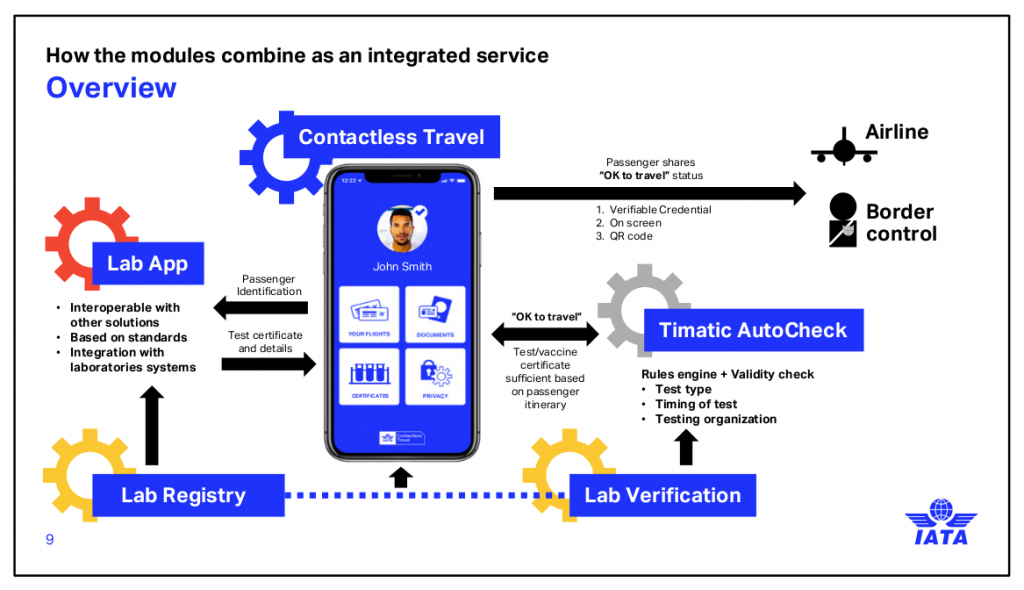
For the most reliable way to check if your device supports eSIM, head straight to the official manufacturer website. Brands like Apple, Samsung, and Google maintain dedicated support pages listing every model’s eSIM capability. These lists are updated directly by the maker, so you avoid outdated carrier info. Just note that a phone model might be eSIM-ready on one regional variant but not another, so double-check your specific product code. Using these official lists is your most trusted source for eSIM compatibility verification before considering any other third-party databases.
What Exactly Is an eSIM-Compatible Device and How Does It Differ From a Physical SIM?
The Core Technology: Embedded SIM vs. Removable Card
Key Hardware Requirements a Device Must Meet to Support eSIM Profiles
How to Activate and Set Up an eSIM on Your Smartphone or Tablet
Step-by-Step Process for Downloading a Carrier Profile
Managing Multiple eSIM Profiles: Switching Between Plans on One Device
Which Smartphone Models Currently Support eSIM Technology?
Flagship eSIM-Ready Phones: Apple, Samsung, and Google Lineups
Mid-Range and Budget Devices That Include eSIM Capability
Key Benefits of Using an eSIM-Compatible Device for Frequent Travelers
Instant Local Carrier Switching Without Needing a Physical SIM Swap
Storing Multiple International Plans on a Single Device at Once
Common Questions When Choosing an eSIM-Compatible Device
How to Verify if a Specific Model Is eSIM Locked or Unlocked
What to Do If Your Carrier Doesn’t Support eSIM on Your Device
Can You Still Use a Physical SIM Alongside an eSIM in Dual-SIM Mode?
Subscribe to our email newsletter to get the latest posts delivered right to your email.