
Category: Technology | Review
Anker Power Bar Review: My Desk Setup Just Got Real!
Deep diving into the Anker 351, 341, and 615 GaNPrime—the “mature” choice for 2026 workstation safety.
For months, I’ve been researching. The big question looming over my workspace wasn’t just about speed, but when I’d find a power solution durable enough to protect my rig. I looked at my wall outlet, looked at my wallet, and said: “rest in peace to the money in my wallet” and pulled the trigger on the Anker Power Bar lineup.
This isn’t just an extension cord; it’s a statement on home office utility. In this review, we explore how Anker’s GaNPrime tech and ActiveShield 2.0 safety systems redefine the power strip. For more tech insights, visit the TheKZVerse Homepage frequently!
Unboxing and First Impressions
The unboxing was a flurry of activity. I cleared my old strips, set up my monitors, and even placed my Display Stand Lego Speed Champion next to the hub, “which is nice.” The moment I held the Anker 351, I thought: “Look at that. Whoa.”
I did have a brief moment of clumsy excitement: “Almost dropped it. Feels good.” The device is “incredibly slim and sophisticated,” featuring a fire-resistant casing and a 45-degree flat plug that makes it a desk essential.
Key Technical Specifications
| Feature | Anker 351 (12-in-1) | Anker 341 (11-in-1) | Anker 615 (GaNPrime) |
|---|---|---|---|
| AC Outlets | 12 Outlets | 8 Outlets | 2 Outlets |
| Surge Protection | 2100 Joules | 2000 Joules | ActiveShield (Temp) |
| USB-C Output | 20W Power Delivery | 20W Power Delivery | 65W Fast Charge |
| Best For | Home Office / PC Setup | Dorm / Bedroom | Travel / MacBook Pro |
Performance and Real-World Use
The Anker Power Bar is the first hub that sacrifices almost nothing. The Anker 351‘s 12 outlets are spaced perfectly for large bricks. However, charging speeds on the base models can be a quirk:
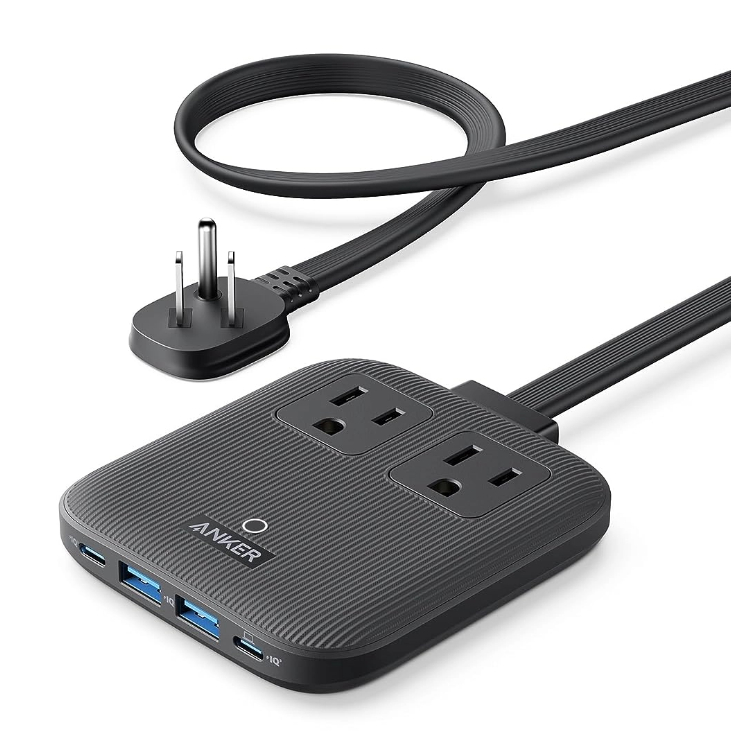
The Anker 351 features a massive 2100 Joule surge protection rating in an ultra-slim profile.
“The fast charging is only ~23W max—a little slow for a flagship.”
While the 351 is great for iPhones, those needing 65W for a laptop should choose the Anker 615. The software-driven ActiveShield 2.0 monitors temperature 3 million times a day, ensuring your gear never overheats.[1]
The Pros, Cons, and Final Verdict
The Pros (Why I Love It)
- Unrivaled Safety: 2100J surge protection—the best for your expensive electronics.
- ActiveShield 2.0: Continuous temperature monitoring for total peace of mind.
- Durable Design: Thin profile with a flat plug that fits anywhere.
- GaN Tech: Efficient power in the 615 model charges MacBooks at 65W.
The Cons (The Quirks)
- Charging Speed: 20W USB-C on the 351 model is “modest” for 2026 standards.
- Price: Higher investment than generic strips, though justified by safety.
Final Verdict: The Anker Power Bar signals the arrival of the “mature” foldable-style power market. It brings the power of GaN technology and elite safety into a spacious, durable device. If you value your gear, this is the investment to make.
Frequently Asked Questions (FAQ)
Is the 2100 Joule rating enough for a gaming PC?
Yes, 2100 Joules is considered high-tier protection, capable of shielding sensitive GPUs and PSUs from significant voltage spikes.
Can the Anker 615 charge a MacBook Pro?
Absolutely. The 65W USB-C port is designed specifically for high-speed laptop charging, reaching 50% in roughly 37 minutes for a 14″ MacBook Pro.
Subscribe to our email newsletter to get the latest posts delivered right to your email.
Comments